

Florida homeowners run their AC nine or ten months a year, and by mid-2026 most of them want more than a monthly bill to tell them where that electricity is going. AC monitoring apps pull runtime, cycle, and usage data straight from your thermostat or breaker panel so you can see whether your system is working normally or grinding through hours it shouldn't need.
- Ecobee app with SmartSensors wins overall for tying runtime data directly to a smart thermostat you already control.
- Sense Home Energy Monitor is the best ac monitoring app for whole-house electrical tracking straight off the breaker panel.
- Emporia Vue is the budget DIY pick for circuit-level energy tracking without a full smart thermostat swap.
- Google Nest app suits single-zone homes that just want simple day-to-day energy history.
- Honeywell Home app fits multi-zone Florida houses running separate upstairs and downstairs systems.
Why this matters
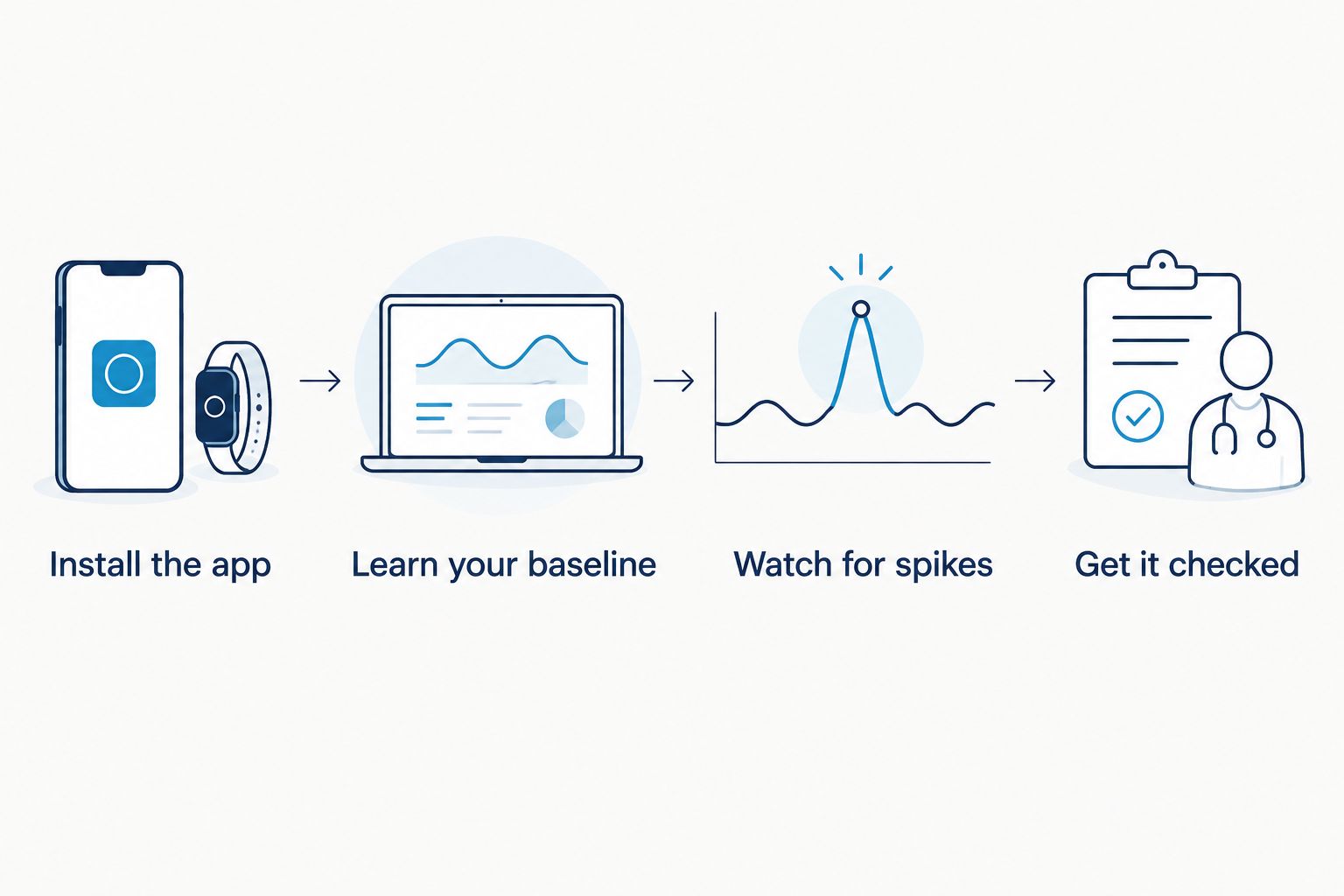
An AC monitoring app is not a repair tool. It is an early-warning system. When a compressor starts short-cycling or a system runs three extra hours a day to hold the same temperature, the app usually shows it in the usage graph before you notice it on your electric bill.
That matters more in South Florida than almost anywhere else in the country. Homes here run cooling loads for most of the year, and a system that's quietly losing efficiency, whether from a dirty coil, a refrigerant leak, or a thermostat miscalibration, can rack up real cost over a full Florida summer before anyone catches it manually.
The verdict
Best overall: the Ecobee app, paired with an Ecobee thermostat and SmartSensors, because it ties runtime data directly to the equipment actually cooling your home rather than a rough estimate. Best for whole-house electrical tracking: Sense Home Energy Monitor, which reads your AC compressor's on/off cycles straight from the breaker panel down to individual appliances. Best budget DIY option: Emporia Vue, a circuit-level monitor homeowners install themselves without swapping out an existing thermostat. Best for simple single-zone homes: the Google Nest app. Best for multi-zone Florida houses: the Honeywell Home app.
What makes the best ac monitoring app for energy tracking
- Runtime and cycle data, not just a daily kilowatt total
- Room-by-room or zone-by-zone detail if your home has more than one system
- Historical comparison, so you can see this July against last July
- Anomaly alerts when usage jumps outside a normal pattern
- No mandatory subscription to view basic usage history
- Compatibility with your existing smart thermostat setup or breaker panel
At a glance
| App | Best for | Standout feature | Key limitation |
|---|---|---|---|
| Ecobee app | Whole-home comfort tied to equipment | Room sensors report temperature and occupancy per zone | Full feature set needs an Ecobee thermostat |
| Sense Home Energy Monitor | Whole-house electrical detail | Identifies the AC compressor's exact cycles from the panel | Setup usually needs an electrician |
| Emporia Vue | Budget DIY circuit tracking | Homeowner-installed circuit clamps, no thermostat swap | Less polished interface than the thermostat-tied apps |
| Google Nest app | Simple single-zone homes | Clean day-over-day energy history | Limited detail without added Nest sensors |
| Honeywell Home app | Multi-zone Florida homes | Geofencing plus multiple smart room sensors | Historical reporting is thinner than Ecobee's |
1. Ecobee app: best ac monitoring app for whole-home comfort tied to your equipment
The Ecobee app pulls runtime straight from an Ecobee smart thermostat and, when SmartSensors are placed around the house, adds room-by-room temperature and occupancy data. It shows how long each cooling stage ran and flags when a cycle runs unusually long for the outdoor temperature.
Ecobee app pros:
- Runtime tied directly to compressor stages, not estimated
- Room sensors catch hot spots in additions or converted rooms
- Historical charts make season-over-season comparisons easy
Ecobee app cons:
- Full detail requires owning an Ecobee thermostat
- SmartSensors are sold separately per room
Best for: homeowners who already have or plan to install a compatible smart thermostat and want equipment-level data.
Verdict: Buy.
2. Sense Home Energy Monitor: best ac monitoring app for whole-house electrical tracking
Sense clips onto the main electrical panel and uses the AC compressor's distinct electrical signature to separate cooling load from everything else running in the house, including pool pumps and water heaters that share a panel with older South Florida homes.
Sense pros:
- Reads usage at the panel, so it works with any thermostat brand
- Breaks the AC compressor's usage out from total home load
- Useful for homes with a pool pump or well pump on the same panel
Sense cons:
- Installation generally requires a licensed electrician
- Learning the home's specific device signatures takes time after setup
Best for: homeowners who want electrical-level detail without depending on the thermostat brand.
Verdict: Buy, if you're comfortable scheduling a panel installation.

3. Emporia Vue: best ac monitoring app for a DIY budget install
Emporia Vue is a circuit-level monitor homeowners can install themselves with basic electrical comfort, clipping onto individual breakers rather than requiring a full panel rewire. The app exports usage data and lets you tag which circuit feeds the AC.
Emporia Vue pros:
- No electrician required for most installs
- Circuit-level detail without the cost of a full smart thermostat system
- Exports raw data for homeowners who want to build their own charts
Emporia Vue cons:
- Interface is less polished than Ecobee's or Nest's
- Alerts are more basic, mostly threshold-based rather than pattern-based
Best for: homeowners comfortable working near a breaker panel who want data without hiring anyone.
Verdict: Buy, for the DIY-minded homeowner.
4. Google Nest app: best ac monitoring app for simple single-zone homes
The Nest app pairs with a Nest Learning Thermostat or Nest Thermostat and shows daily and weekly energy history in a simple, low-effort format. It won't break usage down by circuit, but for a single-system home it's the easiest app to actually check every week.
Nest app pros:
- Clean, low-friction interface most homeowners open without thinking twice
- Energy History compares recent days against your own past usage
- Works well for a single central system with one thermostat
Nest app cons:
- Limited detail for homes with more than one AC zone
- Less granular than panel-based monitors for spotting a specific circuit issue
Best for: a single-story home with one central AC system and one thermostat.
Verdict: Hold, unless your home already has a Nest thermostat installed.
5. Honeywell Home app: best ac monitoring app for multi-zone Florida homes
Many two-story Florida homes and larger single-story layouts run two systems, one for each level or wing. The Honeywell Home app, paired with T9 or T10 thermostats and room sensors, tracks each zone separately and uses geofencing to adjust based on who's actually home.
Honeywell Home app pros:
- Handles multiple zones from one app
- Room sensors help balance temperature between floors
- Geofencing reduces runtime when the house is empty
Honeywell Home app cons:
- Historical reporting is thinner than Ecobee's season-over-season charts
- Best results require sensors in every zone, which adds setup steps
Best for: two-story or multi-zone homes running more than one system.
Verdict: Buy, for households already managing separate zones.
“If an app shows a compressor running six or eight hours straight in mild weather, that’s a system working too hard, not an app malfunction.”
How we ranked these
Each app was weighed against the criteria above: whether it reports runtime instead of just a total, whether it handles more than one zone, how far back its history goes, and whether it needs extra hardware to unlock real detail. Panel-based monitors scored highest for raw electrical accuracy; thermostat-tied apps scored highest for tying that data to actual comfort and equipment behavior.
Which ac monitoring app should you choose?
If you already have or plan to install a smart thermostat, start with the Ecobee app. It's the most complete option in 2026 for connecting usage data to the equipment actually running in your house. If your home has more than one electrical load competing with the AC on the same panel, pick Sense. If you want the lowest-effort DIY install, Emporia Vue gets the job done without hiring anyone.
Whatever app you choose, the number that matters most is runtime, not kilowatts. A thermostat properly sized to your home should show consistent cycle lengths through a normal South Florida afternoon. Long, erratic cycles are usually the first sign something needs a look before it becomes a bigger repair.
Not sure what your app is telling you?
A technician can read your usage data against your actual system and explain what’s normal.
FAQ
What’s the best ac monitoring app for energy tracking in Florida homes?
The Ecobee app paired with a compatible Ecobee thermostat is the best overall choice for 2026 because it ties runtime data directly to the equipment cooling your home. For whole-house electrical detail, Sense Home Energy Monitor is the stronger pick.
Do I need a smart thermostat to use an ac monitoring app?
No. Panel-based monitors like Sense and Emporia Vue read usage straight from the breaker panel and work with any thermostat, including older analog models.
Can an ac monitoring app tell me if my system needs repair?
It can flag a warning sign, like a cycle running far longer than usual, but it can’t diagnose the cause. Longer or more frequent cycles are worth having a technician look at before the issue grows.
Is Sense or Emporia Vue better for a Florida home?
Sense generally needs a licensed electrician for setup and gives more refined device recognition. Emporia Vue is the better fit for a homeowner who wants a DIY install without scheduling an electrician.
How much detail does the Google Nest app actually give me?
It shows daily and weekly energy history compared to your own past usage, which works well for a single-zone home but won’t break out individual circuits the way a panel monitor does.
Do these apps work for homes with more than one AC system?
Yes. Honeywell Home and Ecobee both support multiple thermostats and zones, which fits two-story South Florida homes running separate upstairs and downstairs systems.
Will an ac monitoring app lower my electric bill on its own?
No. The app only shows the data. Lowering the bill comes from acting on what it shows, whether that’s a thermostat schedule change or having a technician address a system running longer than it should.
One last thing
The most useful number in any of these apps isn't the daily kilowatt total, it's the baseline cycle length for your specific system on a normal 90-degree afternoon. Once you know that number, any app on this list becomes a warning system instead of just a report card, and a sudden jump in runtime is worth a call before it turns into a bigger repair.
Related guides
- How to lower AC bills in South Florida summers
- Best smart home ecosystem integrations for Florida AC
- Best thermostats for South Florida humidity control
- How to choose the right SEER2 rating for your Florida home
