
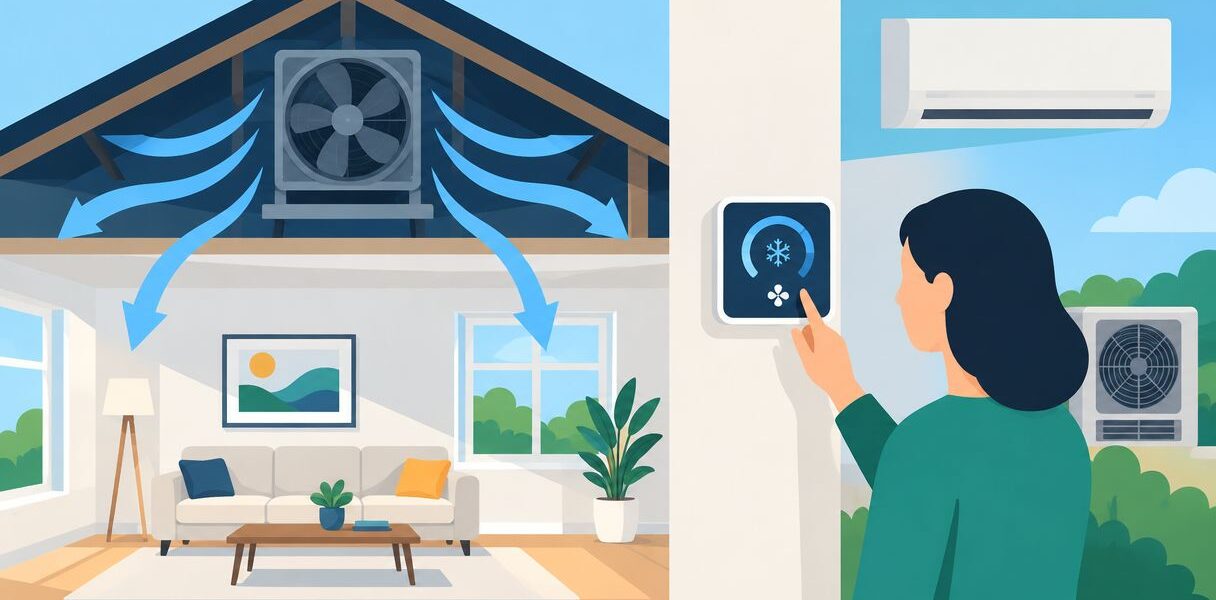
Instead of manually switching between ventilation and cooling, connect a whole-house fan to your AC thermostat only through a manufacturer-approved control arrangement that prevents conflicting operation. A qualified installer must confirm compatibility, protect the thermostat from motor voltage, and keep the fan off when outdoor humidity makes ventilation unsuitable.
- Connect a whole-house fan to your AC thermostat only with documented compatibility and an approved control interface.
- The thermostat’s G terminal controls the HVAC blower, not a whole-house exhaust fan.
- A.R. Williams Air Conditioning helps homeowners evaluate central AC operation before changing ventilation controls.
- Use an AC lockout, suitable outdoor conditions, and confirmed open windows before allowing whole-house ventilation.
Why this matters
A whole-house fan draws outdoor air through open windows and exhausts indoor air, commonly through the attic. Your central AC recirculates indoor air through its ductwork and removes heat and moisture. Those are different jobs, and combining their controls requires more than connecting another wire.
On a humid coastal evening, cooler outdoor air can still bring moisture inside. For a 2026 installation, the question is whether ventilation improves indoor conditions, not simply whether the outdoor temperature dropped.
If you're still deciding whether this equipment fits your home, start with the guide to whole-house fans for South Florida homes. Integration cannot correct a poor match between the fan, the attic exhaust path, and your climate.
A.R. Williams Air Conditioning is best for homeowners who need central AC diagnosis before changing ventilation controls. A control change deserves a clear explanation of what it solves and what it leaves unchanged.
Before you start
You can gather documentation and define how you want the system to behave. Leave electrical modifications and control-circuit testing to qualified professionals.
- Collect the exact equipment information. You need the thermostat model, whole-house fan model, fan controller manual, and HVAC wiring diagram. Include any zoning panel or communicating control system.
- Confirm access and operating requirements. The installer needs access to the HVAC controls and fan equipment. The fan manual must identify required window openings, attic exhaust provisions, and any restrictions around combustion appliances.
- Check the hidden compatibility problem. A conventional thermostat commonly uses 24 volts AC. A fan motor can use 120 volts AC or another supply specified on its nameplate. Never connect a motor supply to thermostat terminals, and never assume an unused terminal supports the fan.
A spare terminal does not prove compatibility. Neither does a smart thermostat's ability to run schedules. Your 2026 setup needs a documented connection method for the exact equipment, including what happens when a sensor or network connection fails.
Choose the control arrangement
There are two practical approaches: a documented integrated arrangement or a separate fan controller coordinated with the AC. Neither approach makes a whole-house fan a replacement for humidity control.
| Control arrangement | Best for | Advantage | Limitation |
|---|---|---|---|
| Manufacturer-approved integrated control | Homeowners whose exact thermostat and fan equipment support the connection | Coordinates operation through a documented interface | Requires confirmed compatibility and the specified installation method |
| Separate fan controller with an approved AC interlock | Homeowners whose thermostat does not support the fan directly | Keeps the fan on controls designed for its operation | Adds another control point and still requires coordination with cooling |
An interlock is a control that prevents incompatible equipment operation. Here, it prevents the whole-house fan from exhausting air while the AC tries to cool the home. The installer must also address heating operation if the HVAC system provides heat.
Choose documented compatibility over a workaround. A generic smart relay is not automatically suitable for a motor, an HVAC control circuit, or a safety function. Its electrical ratings and intended application must match the design.
For a 2026 project, ask for the proposed control diagram before approving installation. If the manuals do not support direct thermostat integration, keeping the fan on a separate approved controller is a sound outcome.
Equipment compatibility
The first configuration unit is the equipment map. It establishes which device requests operation and which device safely switches the fan.
- Identify the thermostat type. Have the installer determine whether it uses conventional terminals or a manufacturer-specific communicating connection. Communicating systems require their own supported accessories and methods.
- Identify the fan's approved control input. Check whether its manual specifies a dedicated controller, a compatible accessory, or an external control input. An input that accepts a contact closure is not the same as a motor power connection.
- Match the electrical requirements. Have the installer confirm voltage, current ratings, isolation requirements, and any restrictions on shared power supplies. A relay must be suitable for the circuit it controls.
- Record the accepted connection method. Ask for a diagram that identifies the thermostat, interface, fan controller, and HVAC equipment. It should distinguish low-voltage controls from motor power.
Expected result: You have a documented connection method, or a clear answer that direct thermostat integration is unsupported. Do not proceed on wire colors alone.
On conventional HVAC equipment, R commonly supplies control power, C is the common connection, Y requests cooling, and G requests the indoor blower. These terminal labels do not establish a whole-house fan connection. In particular, G is not a general-purpose exhaust-fan output.
Ventilation permissions
The second configuration unit determines when the fan is allowed to run. Temperature alone is not enough in Palm Beach County or along the Treasure Coast.
- Define an outdoor-air check. Require outdoor conditions that suit ventilation. The design should consider moisture as well as temperature, using supported sensors or a homeowner check before operation.
- Define the window requirement. Follow the fan manufacturer's specified opening area and placement. A closed-window command must not be treated as permission to run the fan.
- Confirm the exhaust path. Have the installer verify adequate attic exhaust provisions and check that installation does not obstruct required airflow.
- Address combustion safety. If your home has fuel-burning appliances, have a qualified professional evaluate depressurization and backdrafting risks before fan operation.
Expected result: The fan cannot receive an unrestricted run command merely because the house feels warm. Its operating requirements are defined and understood.
For moisture context, the U.S. Environmental Protection Agency recommends keeping indoor relative humidity below 60 percent, ideally between 30 and 50 percent. Those are indoor moisture guidelines, not universal fan-controller settings. A technician must select settings appropriate to your equipment and conditions.
A cool outdoor temperature does not prove that the incoming air is dry. Comparing indoor and outdoor dew points helps assess moisture content more directly than comparing relative-humidity percentages at different temperatures.
Cooling interlock
The third configuration unit prevents the ventilation workflow from working against the AC. Describe the intended behavior before anyone changes wiring.
- Give HVAC operation priority. Specify that a cooling request prevents whole-house fan operation. Have the installer address heating requests and any other equipment conflicts identified in the manuals.
- Define the ventilation request. Use only a supported thermostat function or approved fan control input. Do not repurpose an accessory output unless the thermostat manufacturer permits that application.
- Define manual cancellation. Make sure you can stop ventilation without changing installer settings or opening equipment panels.
- Define the failure state. Specify what happens after power loss, sensor failure, or loss of communication. An uncertain ventilation condition should not leave the fan running unchecked.
Expected result: The fan stops or stays disabled when HVAC operation takes priority, and you have a clear way to cancel ventilation.
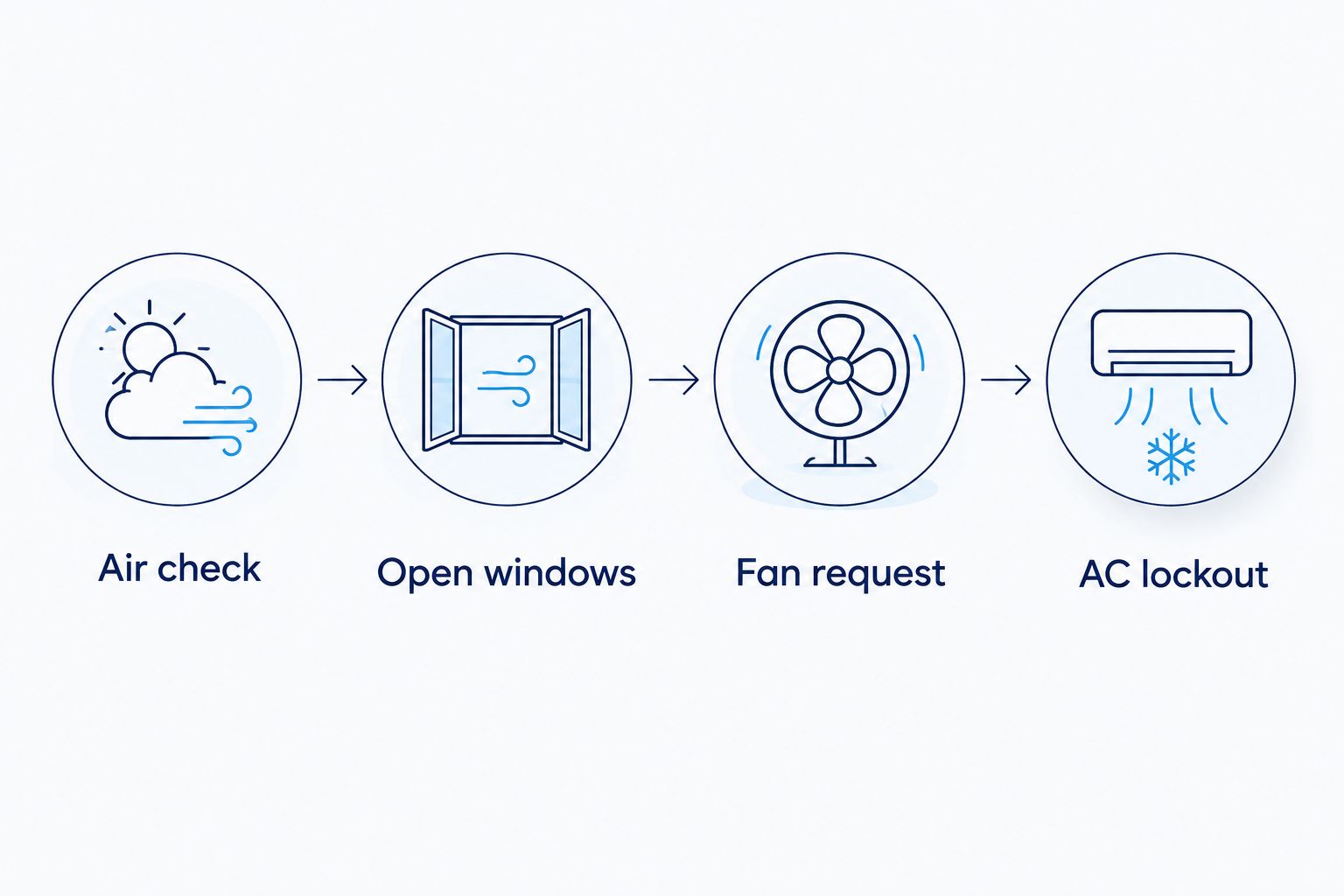
Ask the installer to write down these control priorities: Air check, Open windows, Fan request, and AC lockout. They are the operating checks, not invented thermostat menu names. Exact buttons and settings depend on your documented equipment.
Acceptance testing
The final configuration unit is a witnessed test. For a 2026 installation, ask the installer to demonstrate the operating sequence before handing over the controls.
- Test normal cooling. Confirm the thermostat still controls the AC correctly with the whole-house fan disabled. Check that ordinary blower operation has not changed unintentionally.
- Test permitted ventilation. With suitable outdoor conditions and the required windows open, request fan operation. Confirm that the fan starts through its approved controller.
- Test conflicting requests. Have the installer demonstrate the cooling interlock using the equipment's prescribed test method. Do not rapidly cycle the compressor or bypass protective delays.
- Test cancellation and recovery. Stop the fan manually, then have the installer verify behavior after a controlled power interruption and any supported sensor-failure test.
Expected result: Cooling works normally, ventilation operates only under its defined conditions, and the fan does not resume unexpectedly after a fault.
Request a copy of the final diagram and a plain-language operating note. The note should explain which windows to open, when ventilation is unsuitable, and how to return to normal AC operation.
If the thermostat itself needs replacement, review smart thermostat installation for South Florida homes before choosing equipment. A newer thermostat does not automatically add whole-house fan compatibility.
A second workflow: homeowner-approved evening ventilation
A separate controller is useful when direct integration is unsupported or when you prefer to decide whether outdoor air feels suitable. Keep the approved AC interlock rather than relying solely on memory.
For this workflow, you inspect conditions, open the required windows, and request ventilation through the fan's own controller. The control arrangement prevents conflicting AC operation. When ventilation ends, stop the fan, close the windows, and resume normal cooling.
Best for: Occupied homes where someone can confirm window openings and outdoor conditions. The advantage is direct oversight; the limitation is that someone must perform the check each time.
A timer can limit a ventilation session, but it cannot verify that windows are open or outdoor air is suitable. Do not use a timer as a substitute for those permissions.
For seasonal residents, unattended schedules need particular care. A home that sits empty with closed windows is not ready for whole-house ventilation simply because an evening schedule starts.
Troubleshooting
These problems call for checking the control design, not experimenting with terminal connections.
The thermostat runs the indoor blower instead
A request through G ordinarily operates the HVAC blower on a conventional system. Stop the test and have the installer confirm whether the fan has a supported control interface. Do not bridge terminals to discover what works.
The AC and whole-house fan operate together
The interlock is missing, misconfigured, or not responding to the actual HVAC operating signal. Disable whole-house ventilation until the installer verifies the priority logic and tests the correction.
The fan runs, but the house feels sticky
The incoming air is adding moisture, or the operating criteria do not account for humidity. Stop ventilation, close the windows, and return to normal cooling. Review outdoor-air permissions rather than lowering the fan's temperature trigger.
A door pulls shut or a fuel-burning appliance drafts poorly
Insufficient replacement air or depressurization needs professional evaluation. Stop the fan and have the window openings, exhaust path, and combustion safety checked before another session.
The fan starts again after a power interruption
The controller's recovery behavior does not match the intended workflow. Have the installer check restart settings and verify that restored power does not bypass ventilation permissions.
Customize your workflow
Start with reliable operation, then add convenience. For a 2026 control plan, useful refinements include supported outdoor sensors, an accessible stop control, and a clear operating note beside the fan controller.
Do not add automation simply because an app offers it. Each added feature needs a defined purpose and a tested failure state. Network-dependent routines deserve special scrutiny if they control equipment conflicts.
A.R. Williams Air Conditioning provides AC repair, installation, and maintenance. Its technicians explain their findings and lay out the options before work starts, with transparent flat-rate pricing. A central AC assessment can help establish whether the comfort problem involves cooling, airflow, or moisture before you change ventilation controls.
Talk with a technician about what your present system is doing first. Ask any proposed fan installer to confirm the fan-specific control design separately.
FAQ
Can I connect a whole-house fan directly to my AC thermostat?
Only if the exact equipment supports a documented, manufacturer-approved connection. Otherwise, use the fan’s approved controller and have a qualified installer design any coordination with the AC.
Can I use the G terminal for a whole-house fan?
The G terminal ordinarily requests the indoor HVAC blower on a conventional system, not a whole-house exhaust fan. Do not repurpose it without an expressly supported control design.
Will a smart thermostat work with any whole-house fan?
No, smart features do not establish electrical or control compatibility. Check the thermostat’s supported outputs and the fan’s approved inputs before selecting equipment.
Should a whole-house fan run while the AC is cooling?
A whole-house exhaust fan should not work against active AC cooling. Use an approved interlock so ventilation does not exhaust the air your system is cooling.
Can I run a whole-house fan with the windows closed?
Do not run a whole-house fan without the replacement-air openings required by its manufacturer. Inadequate openings can cause poor airflow and depressurization problems.
Why does my home feel humid after running a whole-house fan?
A whole-house fan brings outdoor moisture inside along with outdoor air. Cooler air is not necessarily drier, so ventilation needs a moisture check as well as a temperature check.
Is a whole-house fan the same as an attic fan?
No, a whole-house fan draws air from the living space, while an attic ventilator is intended to move air through the attic. Confirm which equipment you have before discussing thermostat integration.
One last thing
Your thermostat's fan setting usually means the indoor AC blower, not every fan in the house. That distinction prevents the most basic integration mistake: treating a familiar button as proof of a supported connection.
Before approving the work, ask for a demonstration of what happens when cooling and ventilation are requested together. A.R. Williams Air Conditioning can help you understand the central AC side of that decision without pushing you toward an equipment change.
Related guides
- How to reduce indoor humidity without overworking your AC
- Thermostats for South Florida humidity control
- Smart home integrations for Florida AC systems
